Photo effect
Anime Filter: Photo to Anime
Put yourself in an anime frame — hand-painted backgrounds, cel shading, and the light of a nineties film still.
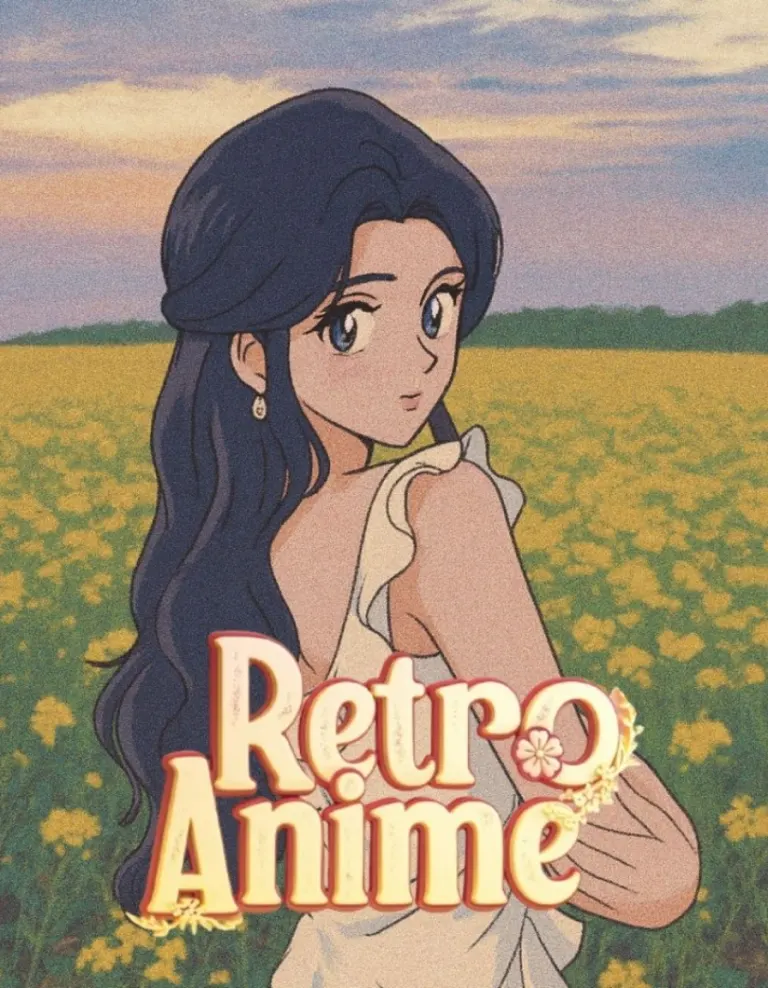
Not a filter laid over the photograph but a redraw of it: the scene is rebuilt as a painted background, the figure is shaded in cels, and the colour is graded the way the era graded it. There are several anime looks in the app and they are genuinely different from one another rather than one style at three strengths.
How to do it
- Open Me & Art and choose an anime style.
- Pick a photo — a full or half body shot gives the background something to do.
- Tap Create.
Questions
- How is this different from a normal filter?
- A filter changes the colours of your photograph. This redraws it: the background is painted rather than blurred, and the figure is shaded rather than tinted.
- Are there other anime styles?
- Several, across the art shelves, and they are different looks rather than settings on one.
More effects

Results are stylised — artistic takes on your photo, not real ones. Monet is free to download; effects use credits, and new devices start with some.