
Photo effect
AI Headshot Generator
Turn a selfie into a headshot you would put on a profile: clean light, a plain background, and a face that still looks like you.
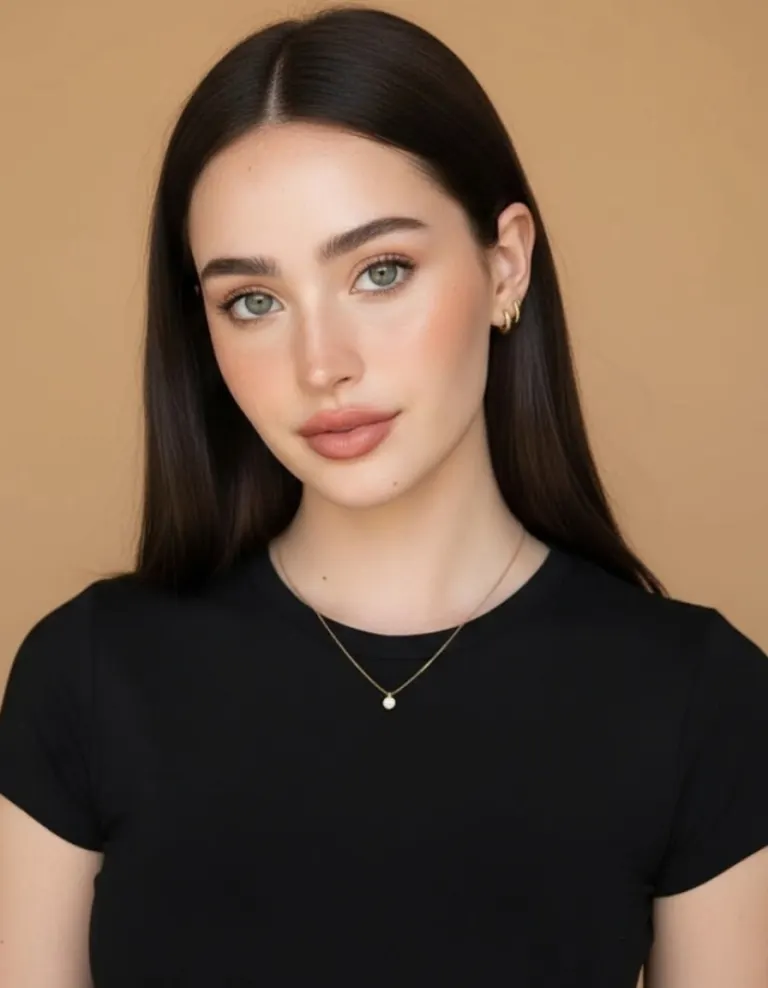
A headshot is mostly lighting and background, and both are what a phone camera in a kitchen gets wrong. The effect rebuilds them around the face you gave it — soft key light, an even backdrop, the clothes and framing a studio would have set up — without smoothing you into somebody else.
How to do it
- Open Monet and pick Headshots from the shelves.
- Choose a photo where your face is lit and unobstructed. One is enough.
- Tap Create. It renders in about a minute, and you can leave the screen while it does.
Questions
- How many photos does it need?
- One. It works from a single photo rather than training on a set, so there is nothing to upload in advance and nothing to wait for the first time.
- Will it still look like me?
- That is the thing it is judged on. It rebuilds the light, the background and the framing around your face rather than replacing the face.
- Can I use it on LinkedIn?
- Yes. It is your photograph, restyled. It is an AI-generated image, so say so wherever that matters to you.
More effects


Results are stylised — artistic takes on your photo, not real ones. Monet is free to download; effects use credits, and new devices start with some.